Start your day with what’s important.
Get a daily briefing with your schedule, confirmations, follow-ups, and key metrics.
Meet TOB-E, your AI operations assistant built right into SmartMoving. With access to your CRM data, TOB-E helps you catch issues early, get answers without digging through reports, and take care of everyday tasks with a simple request.
Get answers, stay on top of what matters, and take action without leaving SmartMoving.
Get a daily briefing with your schedule, confirmations, follow-ups, and key metrics.

Get quick answers on revenue, trucks, lead sources, follow-ups, and more.
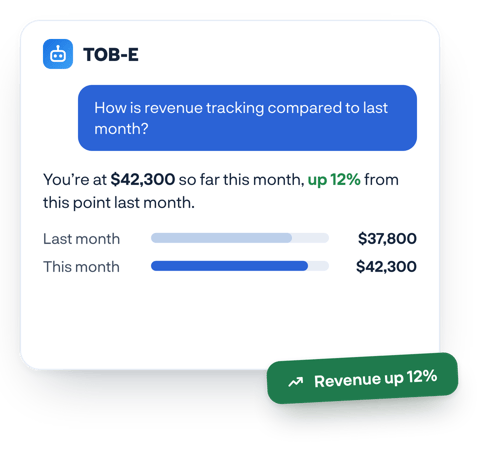
Send crew reminders, confirm and publish jobs, and set up workflow automations.
Watch how movers use TOB-E to get answers, stay on top of daily operations, and take action faster. Want to see how it could work for your business? Book a personalized demo of SmartMoving.
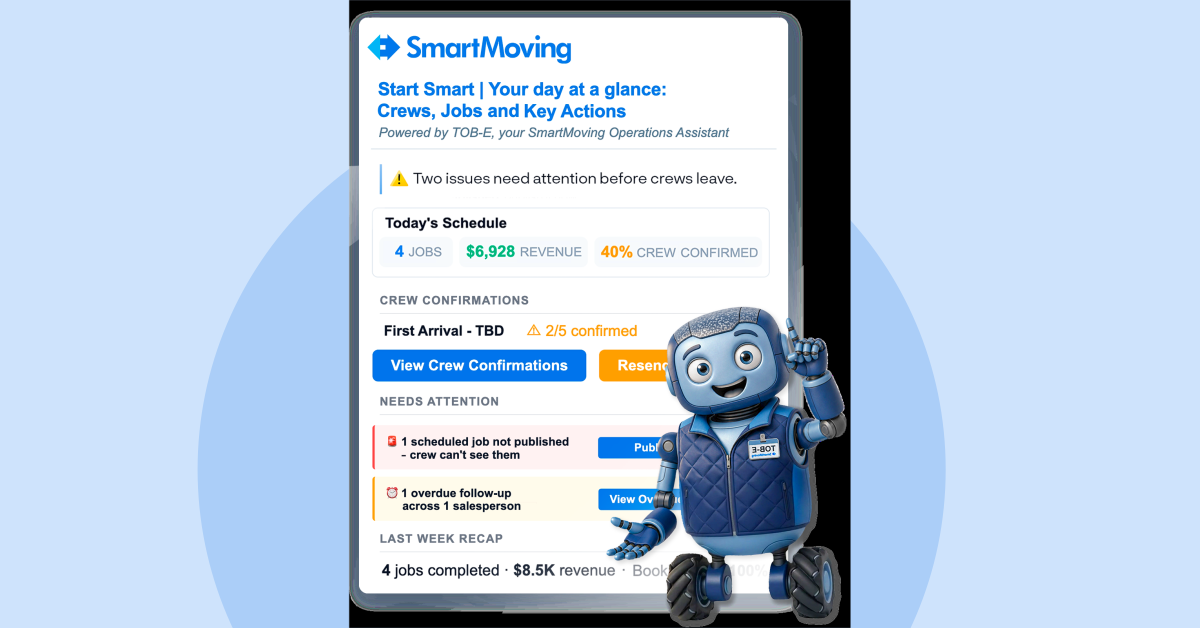
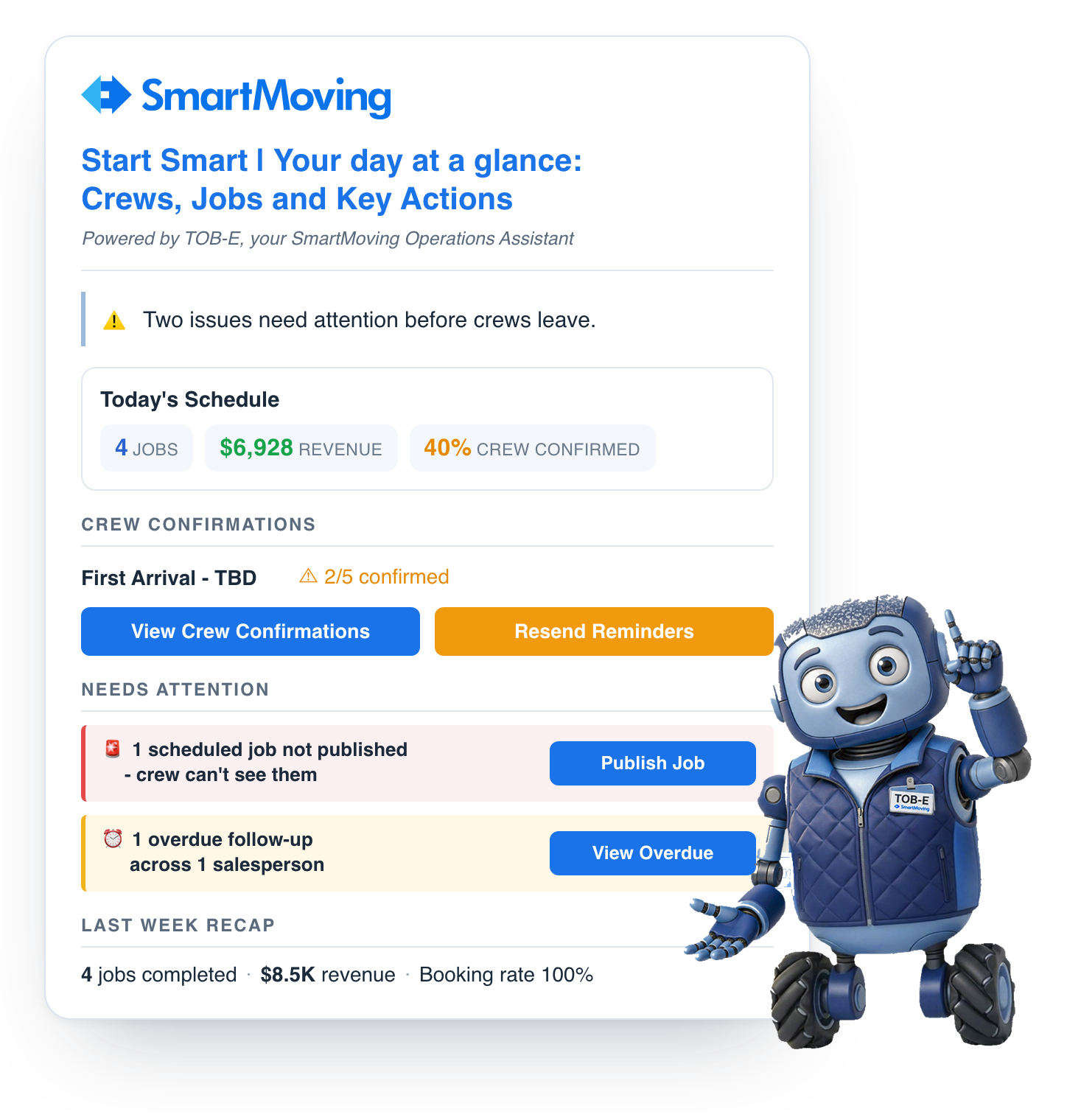
Every morning, TOB-E emails you a summary of scheduled jobs, expected revenue, crew and customer confirmations, and items that need attention. You can see where the day stands before the phones start ringing.
See scheduled jobs, expected revenue, and confirmation status together in one daily summary.
Spot unpublished jobs, unconfirmed crews, and overdue follow-ups before they are overlooked.
Your Morning Briefing arrives in your inbox, so you do not need to log in to review it.
Choose which sections appear in the briefing and who receives it.
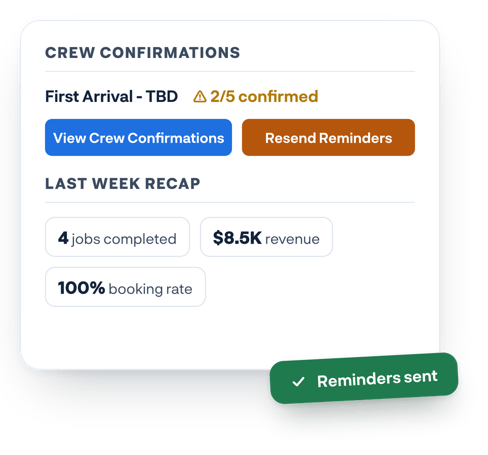
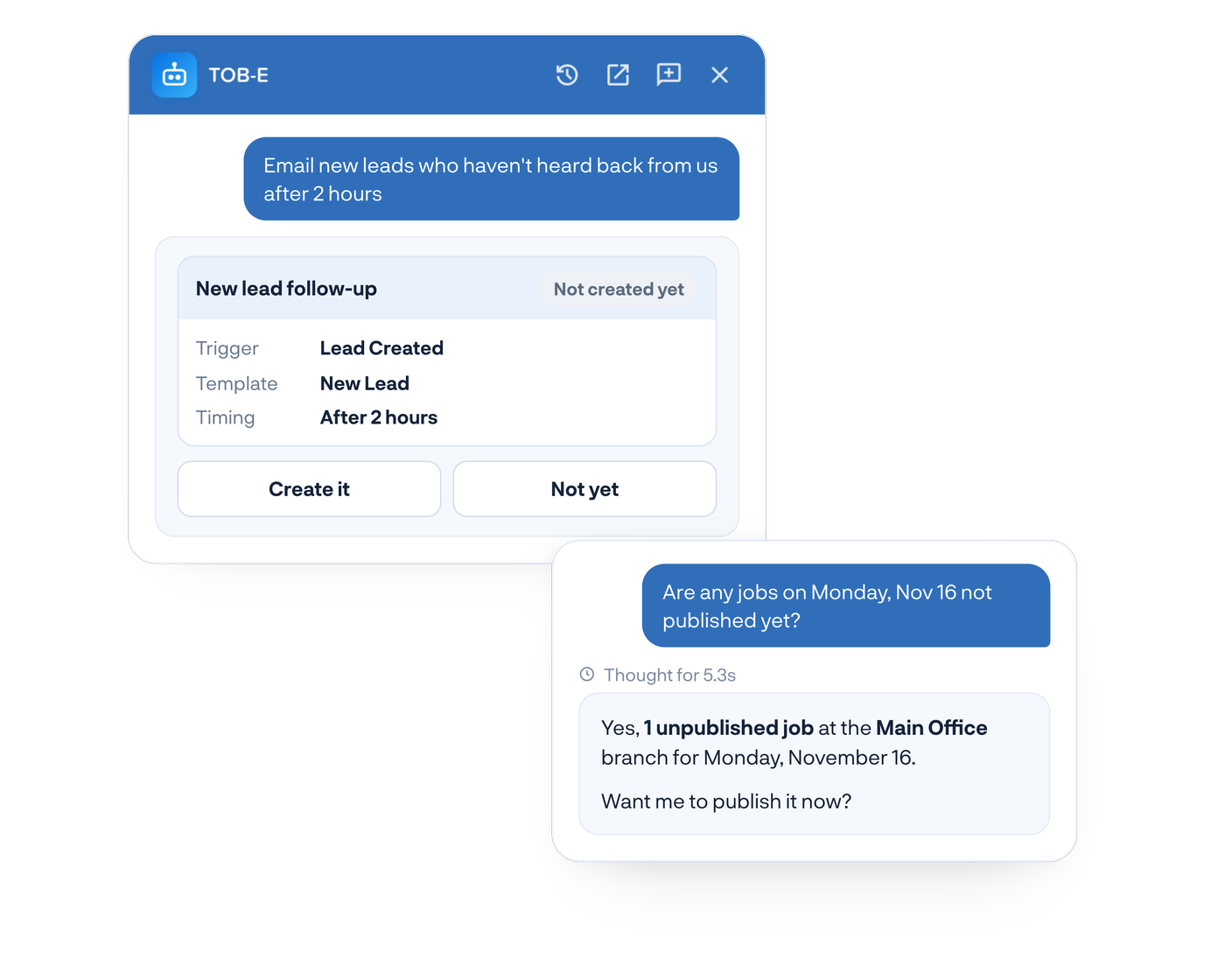
How did revenue compare to last month? Which leads haven’t been contacted? What’s on the schedule tomorrow? Ask TOB-E in plain language and get answers from your SmartMoving data.
When something needs attention, ask TOB-E to help. It shows you what it plans to do and waits for your approval.
Ask TOB-E to resend confirmation requests to crew members who have not responded.
Send customer confirmations for upcoming moves after reviewing and approving the request.
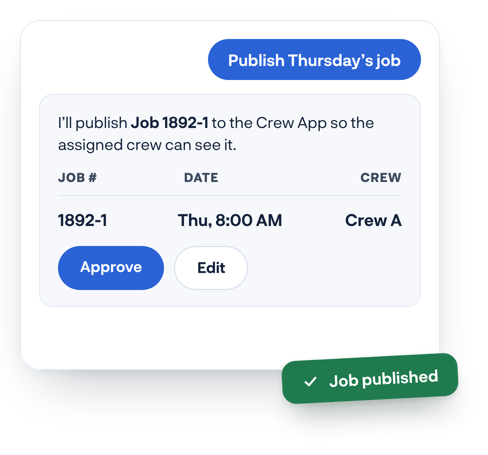
Ask TOB-E to publish assigned jobs so crews can see them in the Crew App.
Describe the follow-up you want TOB-E to automate, then review the rule it creates before turning it on.
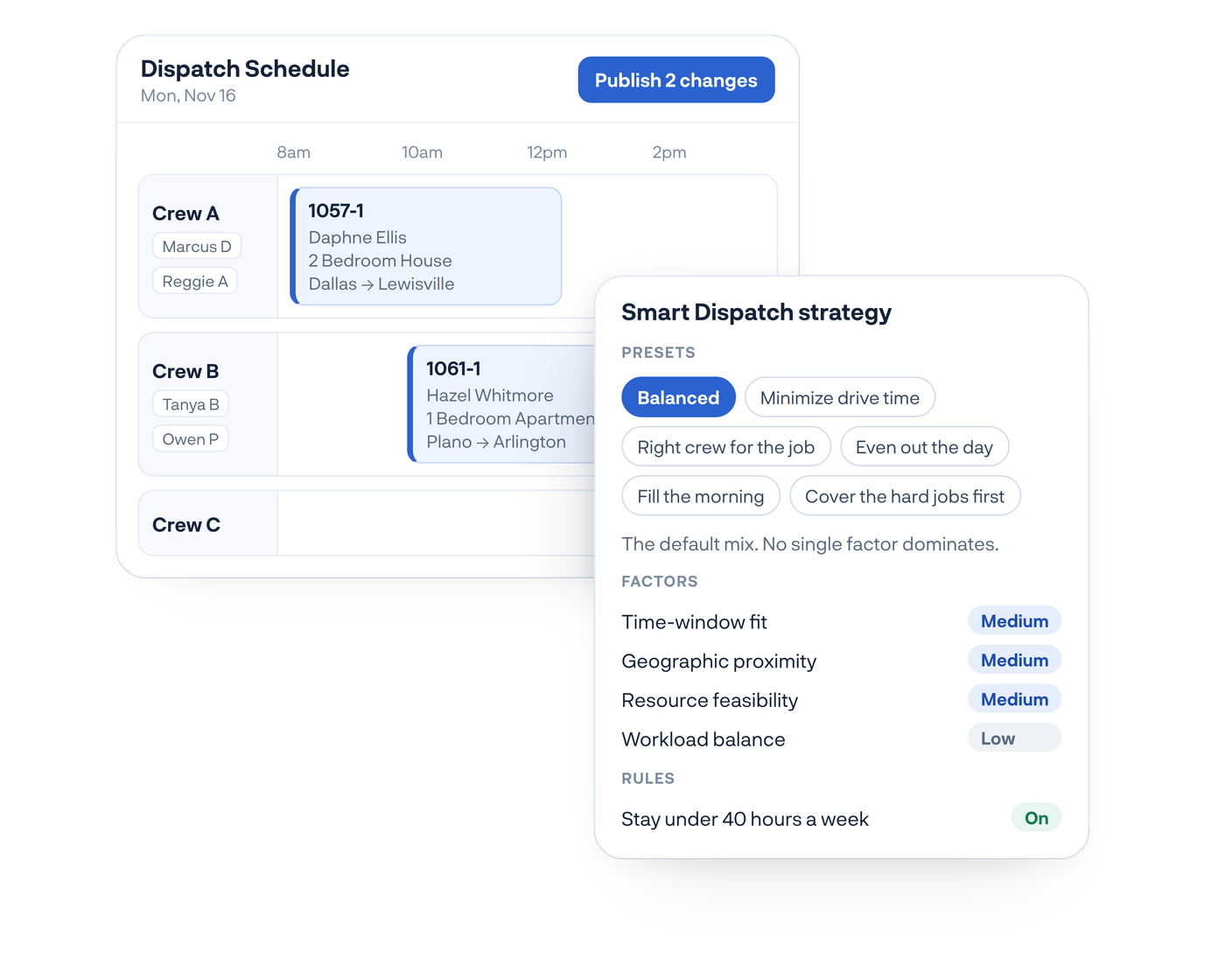
Instead of building your dispatch schedule job by job, choose a strategy and let TOB-E do the heavy lifting. It assigns booked jobs to the crews already on your schedule, explains each placement, and flags anything that needs your attention.
Choose the dispatch strategy that fits the day
Assign booked jobs to crews already on your schedule
See why TOB-E made each placement
Review and adjust everything before it goes out
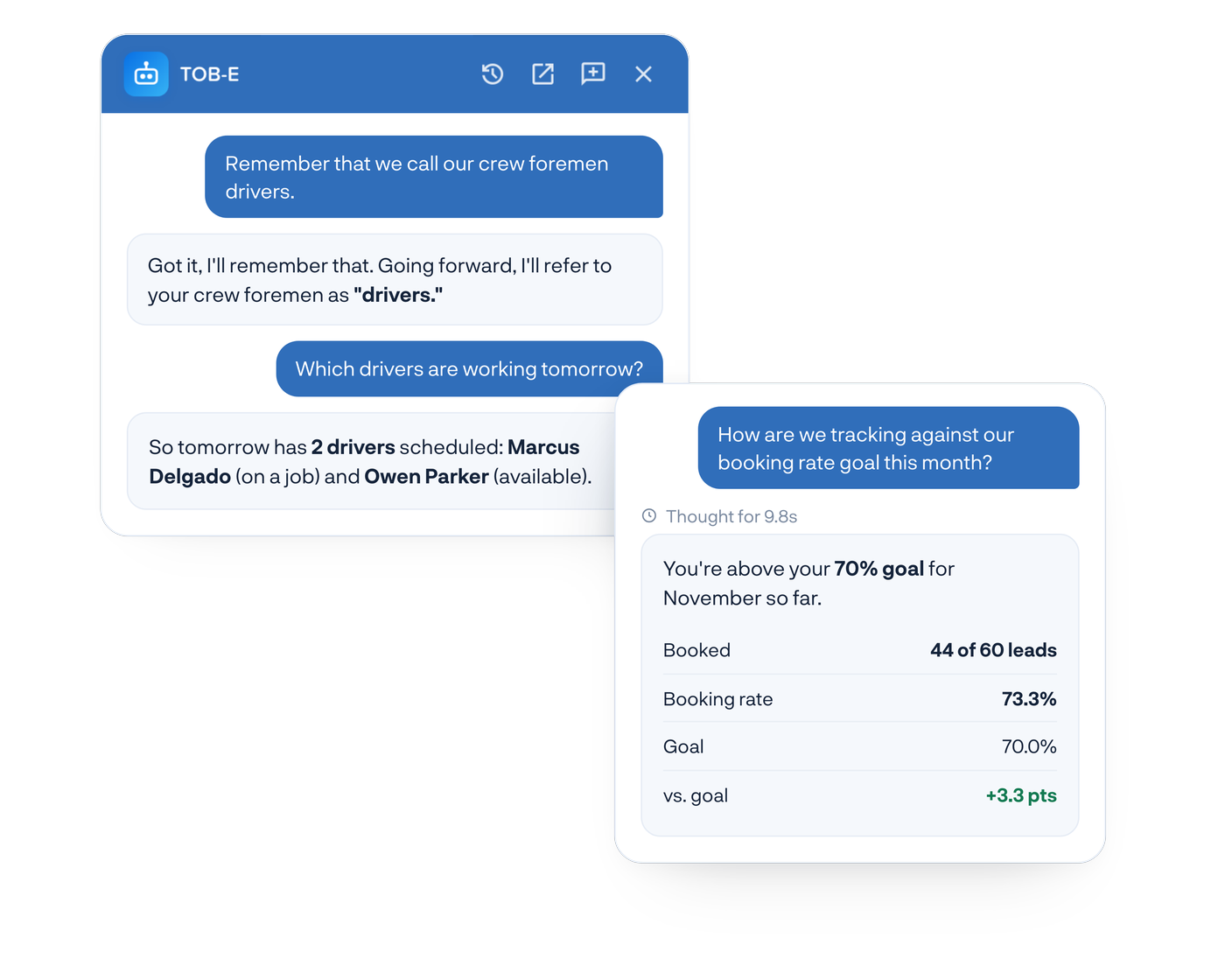
Everyone works a little differently. Tell TOB-E how you work, what you call things, and what matters to you. Ask it to remember your preferences or correct it when it gets something wrong.
Tell TOB-E the terms you use for crews, routes, and everyday processes.
Save your business goals so you can ask TOB-E how you’re tracking against them.
Your preferences are saved to your TOB-E, so you don’t have to repeat them in future conversations.
TOB-E helps you stay ahead of daily operations, find the answers you need, and take care of routine tasks without all the manual work.
TOB-E is part of SmartMoving, so there’s nothing to install, connect, or import.
It works with the information your team already enters every day.
Enable TOB-E and give access to the office team members who need it.
Customize your Morning Briefing so the right people get the updates that matter to them.
Ask questions, get answers, and approve actions throughout your day.
See how TOB-E helps moving companies stay on top of daily operations, get answers faster, and take action.
Read the Recap →SmartMoving CEO Bill Bowles on where AI makes a difference for moving companies and why operators should stay in control.

Watch the Video →See how Smart Scout answers every call instantly and captures the leads you would normally lose to “We’ll call you back.”

Read the Post →An AI operations assistant helps businesses stay on top of daily operations, answer questions about their data, and complete routine tasks. TOB-E is SmartMoving’s AI operations assistant, built specifically for moving companies. It works directly with your jobs, crews, schedules, leads, and revenue.
TOB-E helps moving companies stay organized, find answers, and get work done faster. It sends a daily Morning Briefing highlighting items that need attention, answers questions about your business and SmartMoving, and helps complete tasks like sending confirmations, publishing jobs, and building automations. Smart Dispatch, powered by TOB-E, also helps schedule booked jobs across crews already on your schedule.
No. TOB-E is included with every SmartMoving subscription at no additional cost, subject to a daily message limit. There are no additional user fees.
No. TOB-E asks for your approval before sending confirmations or publishing jobs. Automation rules it creates remain off until you enable them, and Smart Dispatch keeps jobs unpublished until you approve the schedule.
Account owners automatically have access to TOB-E. Owners can enable it for other office users, including dispatchers, sales managers, and office managers. Crew members cannot access TOB-E. Morning Briefing recipients can be added without chat access, and anyone with Dispatch permission can use Smart Dispatch.
TOB-E uses your existing SmartMoving data, including jobs, schedules, crews, leads, payments, and revenue. Access is restricted to your company’s data, which is not shared with other SmartMoving customers. Owners control which office users can access TOB-E.
There’s nothing to install or connect. TOB-E is already part of SmartMoving, and account owners have access automatically. Owners can enable it for other users in User Management, with access available at their next login.
Yes. Under Settings > Company Settings > Morning Briefing, you can choose which sections to include, who receives the email, and when it arrives between 4 AM and 10 AM in your company’s time zone.
Yes. Tell TOB-E what you want to automate, such as emailing new leads two hours after they come in. It builds the automation rule and message for your review. You approve the rule before it’s created, and it stays off until you enable it. TOB-E can also explain existing rules and help troubleshoot issues. Creating rules requires an admin role with Settings permission.
Smart Dispatch, powered by TOB-E, helps you build your daily dispatch schedule faster. Choose a strategy, and it places booked jobs onto crews already on your schedule, explains its decisions, and flags potential issues for review. You stay in control of the schedule before anything is published.
No. Smart Dispatch keeps all placements unpublished until you click Publish. You can review assignments, move jobs, try different strategies, or restore an earlier version before notifying crews.
Smart Dispatch offers six strategies to help you schedule jobs based on your priorities:
Each strategy considers five factors: time windows, drive distance, crew and truck capacity, crew ratings, and workload balance. You can enable or disable individual factors, but not adjust their weights. A rule to keep crew members under 40 hours per week is enabled by default.
Smart Dispatch schedules booked jobs for your selected date and branch that haven’t been assigned yet. It places those jobs onto crews already assigned to your schedule and leaves previously scheduled jobs unchanged. Commercial jobs and jobs requiring specific crew skills remain with your dispatcher.
No. Smart Dispatch is included with every SmartMoving subscription at no additional cost.
No. TOB-E is built directly into SmartMoving and isn’t available as a standalone product. Schedule a demo to see how SmartMoving and TOB-E work together.
TOB-E helps you stay ahead of daily operations, find answers faster, and get more done without adding more to your plate.